I crafted the following copy examples in response to the Daily UX writing prompts. I used Figma to design wireframes. Brand names, logos, and images used in this exercise belong to their respective owners.
Scenario #1
A traveler is in an airport waiting for the last leg of a flight home when their flight gets abruptly canceled due to bad weather.
Challenge
Write a message from the airline app notifying them of the cancellation and what they need to do next.
- Headline: 45 characters
- Body: 175 characters max
- Button(s): 25 characters max
Solution
Writing for reusability and scalability
I made the message generic to reduce the amount of hard-coding at the back-end and engineering efforts.
However, I’ve added a variable to customize the message for various cancellation reasons. This variable is linked to the corresponding cancellation reason variable in the system to create a meaningful customized message. This means the same message can be used even if a flight is canceled due to technical issues.
Creating a generic message also reduces the translation costs, since we only have to translate one message rather than five different versions of the same message.
Adapting the tone for the company’s personality and its users
I’ve created two versions of the message for two types of airlines:
- Legacy carrier: Delta Airlines
- Budget airline: French Bee
For Delta, I’ve kept the tone formal to resonate with Delta’s personality. Given that Delta is used by all people – young and old, leisure and business travelers – I’ve written the message to appeal to everyone, keeping it strictly informational.
For French Bee, however, I reworked the message to bring the airline’s personality in it by adding a little French. Since its flyers are mainly young and traveling for a vacation, I’ve used an exclamation mark and an emoji to bring a conversational friendly tone to the message.
Solution 1: Delta Airlines
Your flight {flight_number} to {destination} is canceled
Sorry {first_name}, your flight is canceled due to {cancellation_reason}. We’ve rebooked you on {new_flight_number} departing at {time}.
Buttons: Change my flight, Get a refund
Example
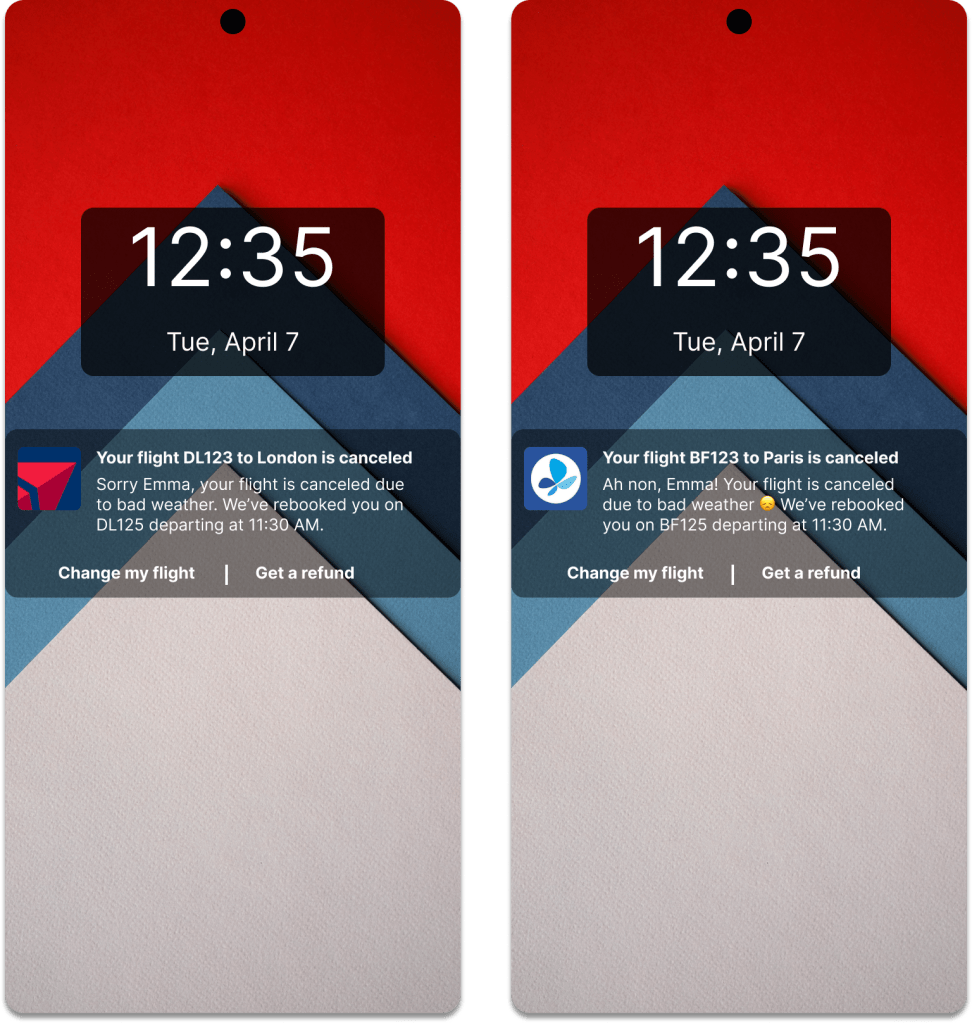
Your flight DL123 to London is canceled
Sorry Emma, your flight is canceled due to bad weather. We’ve rebooked you on DL125 departing at 11:30 AM.
Buttons: Change my flight, Get a refund
Solution 2: French Bee
Your flight {flight_number} to {destination} is canceled
Ah non, {first_name}! Your flight is canceled due to {cancellation_reason} 😞 We’ve rebooked you on {new_flight_number} departing at {time}.
Buttons: Change my flight, Get a refund
Example
Your flight BF123 to Paris is canceled
Ah non, Emma! Your flight is canceled due to bad weather😞 We’ve rebooked you on BF125 departing at 11:30 AM.
Buttons: Change my flight, Get a refund
Scenario #2
It’s Monday. A user has just gotten into their car to drive to work. They plug their phone into the car and start driving.
Challenge
How would you let the user know there’s a fire happening in a nearby town that is causing road closures? The effect on their commute is unknown, but there is a definite danger if the fire gets closer. How do you communicate this to them? When? Write it.
- Headline: 30 characters
- Body: 45 characters max
Solution
I’ve assumed two apps here:
- GPS app: This app monitors road conditions and advises the user to avoid a certain route and offers a re-route.
- Weather app: This app monitors for the government-issued warnings and advisory and notifies the users who are in that area.
Solution 1: GPS app
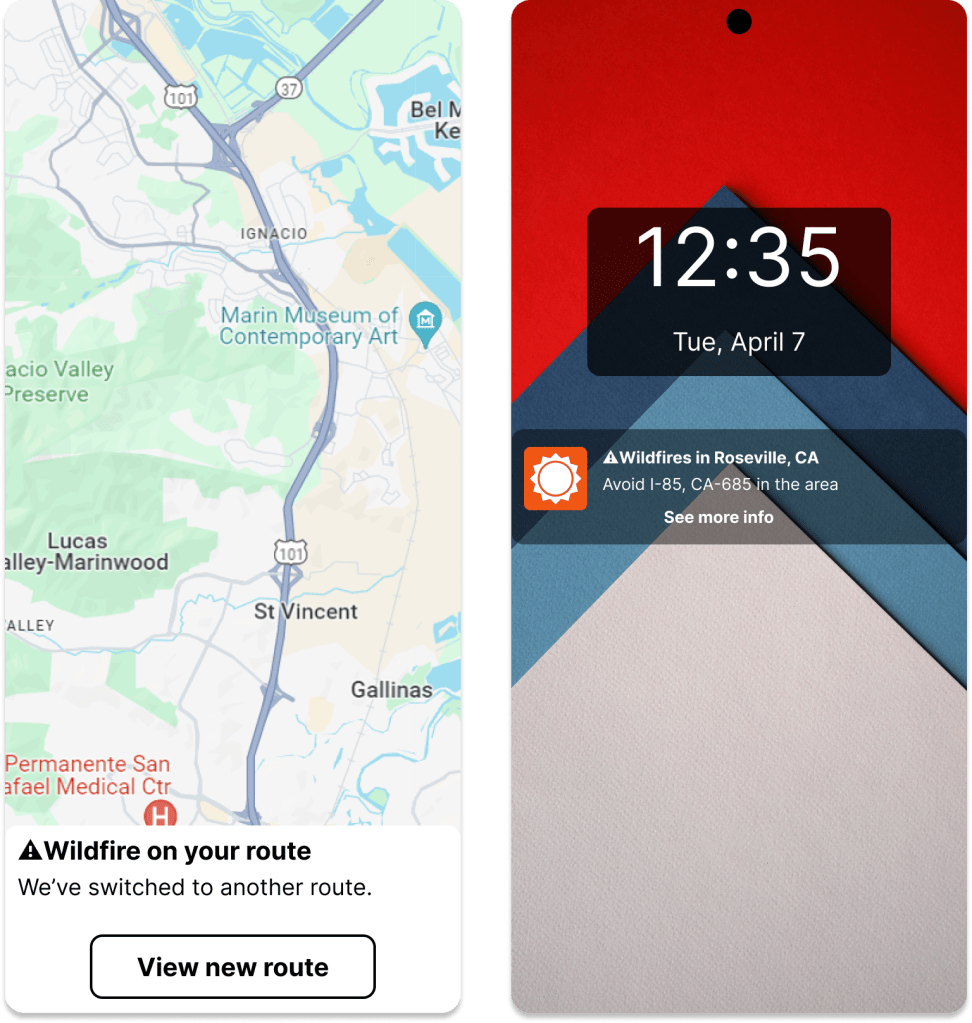
⚠️Wildfire on your route
We’ve switched to another route.
Button: View new route
Solution 2: Weather app
⚠️Wildfires in Roseville, CA
Avoid I-85, CA-685 in the area.
Button: See more info
 Nikita Apraj